
How to Optimize a Website for Google AI Search?

Introduction: Search Has Changed—Optimization Must Change Too
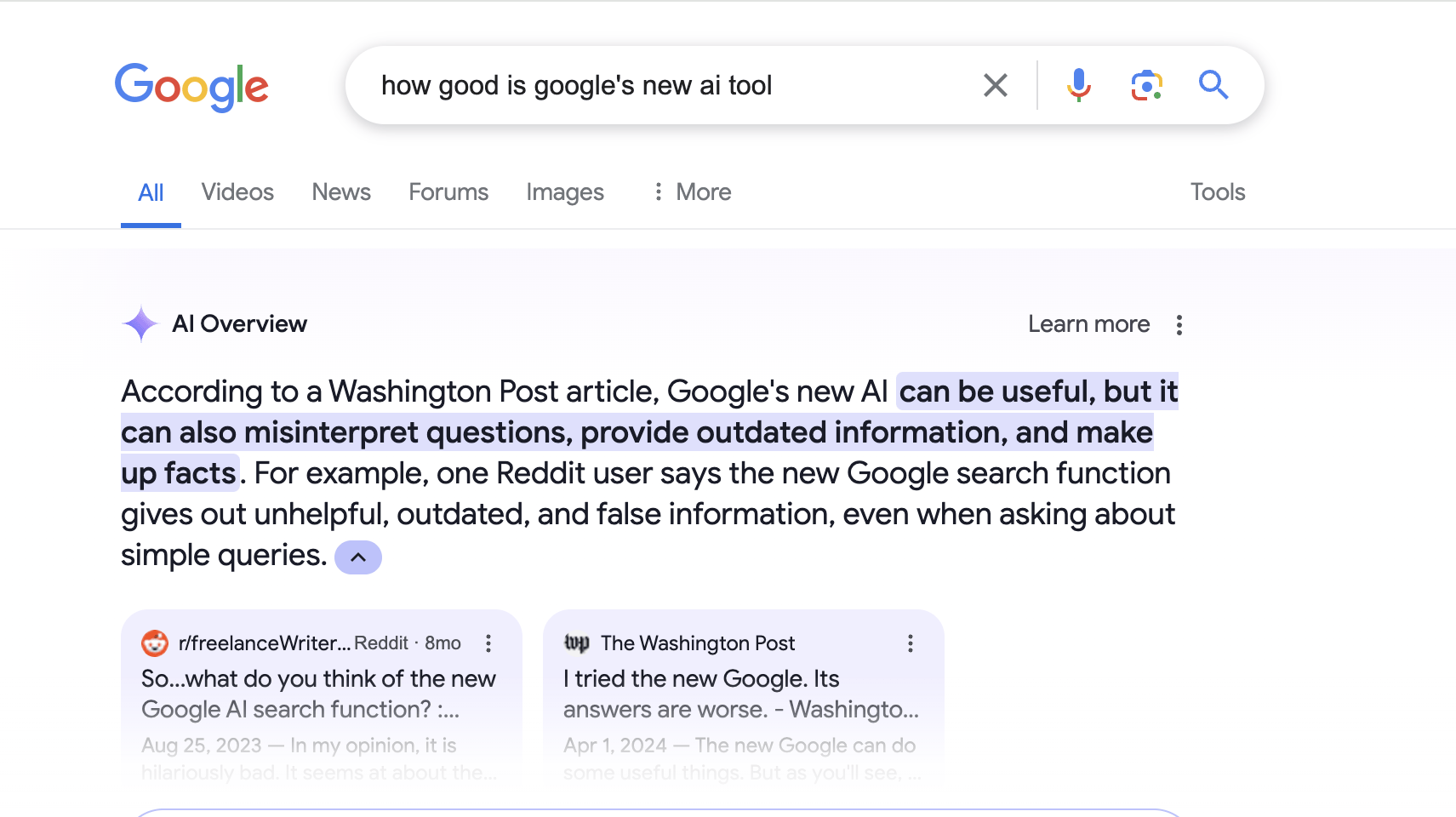
Google AI search is no longer just a list of blue links. With the rise of Google AI Search, including Search Generative Experience (SGE), featured snippets, and conversational results, Google is now answering users directly.
This shift has completely changed how websites earn visibility.
Today, ranking on page one is not enough. Your website must be understood, trusted, and selected by Google’s AI systems as a reliable answer source.
That is exactly what this guide explains.
This blog shows how to optimize a website so Google AI can extract, summarize, and cite your content in AI-powered search results.
What Is Google AI Search?
Google AI Search refers to Google’s use of artificial intelligence to:
- Understand search intent
- Generate direct answers
- Summarize multiple sources
- Display conversational results
- Reduce the need for users to click multiple websites
This includes:
- Search Generative Experience (SGE)
- Featured snippets
- People Also Ask
- Voice search results
- AI-powered summaries
Google now prioritizes answer quality, not just keyword relevance.
Why Traditional SEO Alone Is No Longer Enough
Classic SEO focuses on:
- Keywords
- Backlinks
- Meta tags
- Rankings
Google AI Search focuses on:
- Clear answers
- Contextual depth
- Trust and authority
- Content structure
- Real expertise
If your content is written only to rank and not to answer, AI systems will ignore it.
Core Principle of Google AI Optimization
Before tactics, understand this rule:
Google AI selects content that answers questions clearly, completely, and credibly.
Everything else—schema, keywords, tools—supports this principle.
Step 1: Optimize for Questions, Not Just Keywords
Google AI is trained on questions and conversations, not keyword strings.
What to Do
- Identify real user questions
- Use full-sentence queries
- Optimize pages around one primary question
Example
Instead of targeting:
- “AI SEO optimization”
Target:
This aligns perfectly with AI intent.
Step 2: Create Answer-First Content Structure
Google AI often extracts:
- The first clear answer
- Short, accurate explanations
- Structured responses
Best Practice
Answer the main question in the first 40–60 words of the page.
Example:
Google AI search optimization is the process of structuring website content so Google’s AI systems can easily understand, extract, and present accurate answers in AI-generated search results, featured snippets, and voice responses.
No storytelling. No marketing language. Just the answer.
Step 3: Build a Single Authoritative Answer Hub Page
One of the biggest mistakes websites make is spreading information across multiple thin blogs.
Google AI prefers:
- One strong source
- One complete explanation
- One authoritative page
What Is an Answer Hub?
An Answer Hub is a page that:
- Solves one complete topic
- Covers all related sub-questions
- Links internally to supporting pages
- Acts as the central authority
This page becomes your AI citation source.
Step 4: Use Question-Based Headings (Mandatory)
Headings help Google AI understand content hierarchy.
Correct Heading Style
- What is Google AI Search?
- How does Google AI choose content?
- How can a website appear in AI-generated answers?
- What content format works best for AI search?
Incorrect Heading Style
- Ultimate guide to AI
- Everything you need to know
- Complete SEO strategy
AI systems respond to questions, not marketing phrases.
Step 5: Write for Extraction, Not Engagement
Google AI does not care about:
- Emotional storytelling
- Clever hooks
- Long introductions
It extracts:
- Definitions
- Explanations
- Lists
- Processes
Writing Rules for AI
- Use simple sentences
- Avoid jargon
- Avoid filler phrases
- Be direct and factual
- Use bullets and numbered lists
Think like an encyclopaedia, not a copywriter.
Step 6: Optimize Content Depth and Context
Google AI evaluates whether your content fully answers the topic.
Depth Signals AI Looks For
- Covers beginner to advanced questions
- Explains “why” and “how”
- Includes limitations and exceptions
- Addresses related concerns
Thin content = low AI trust.
Step 7: Strengthen E-E-A-T Signals (Critical for AI)
Google AI heavily weighs:
- Experience
- Expertise
- Authoritativeness
- Trustworthiness
How to Show This on Your Website
- Clear author or brand expertise
- Years of experience
- Industry focus
- Real business information
- Internal links to relevant pages
- References to official or authoritative sources
AI systems avoid content without trust signals.
Step 8: Use FAQs to Capture AI & Voice Search
FAQs are one of the strongest AI optimization assets.
Why FAQs Work
- Match conversational queries
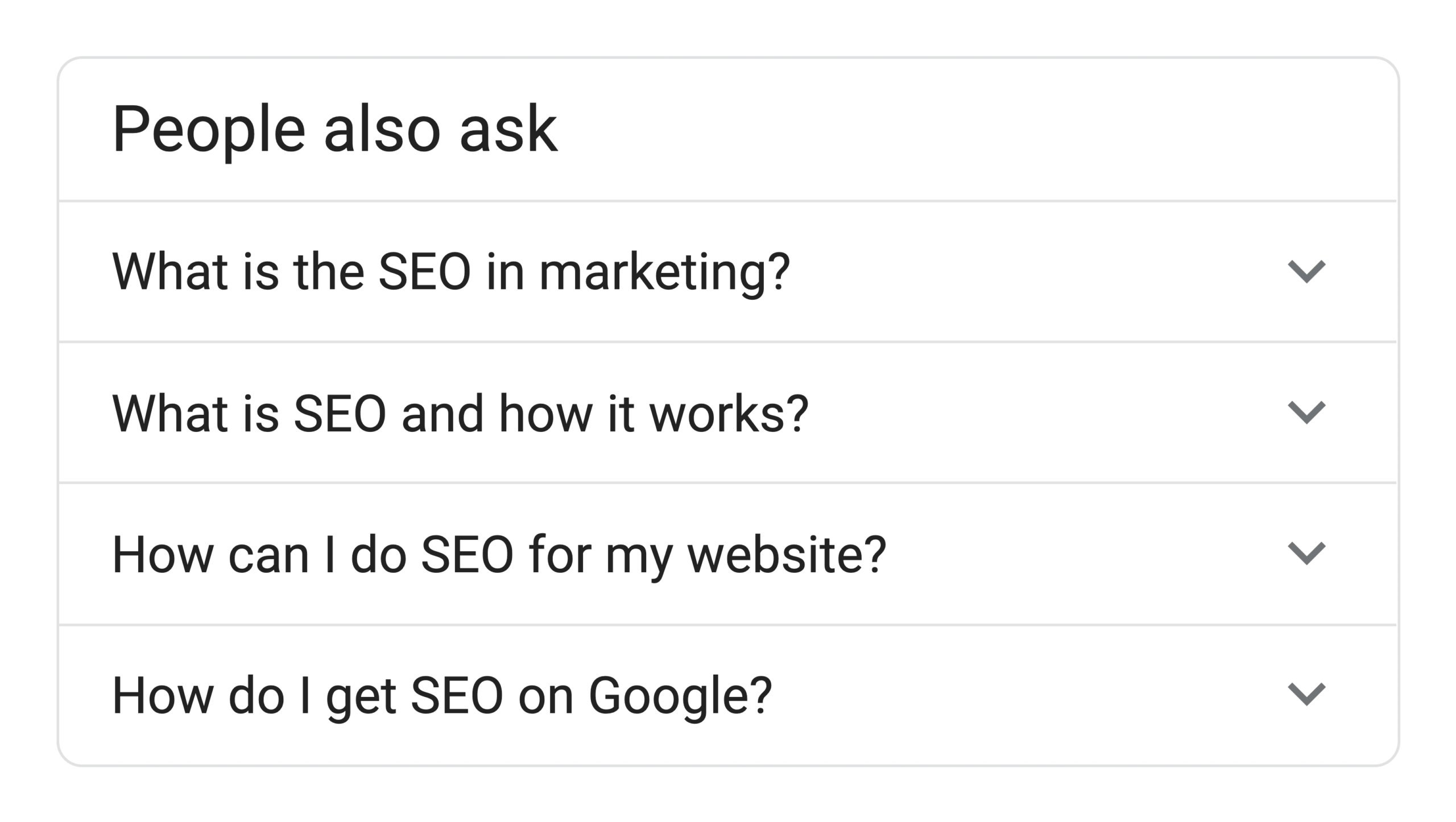
- Power People Also Ask
- Improve voice search results
- Feed AI with intent variations
FAQ Best Practices
- Full question sentences
- Clear, short answers (2–4 lines)
- No keyword stuffing
Every AI-optimized page should include FAQs.
Step 9: Optimize for Featured Snippets
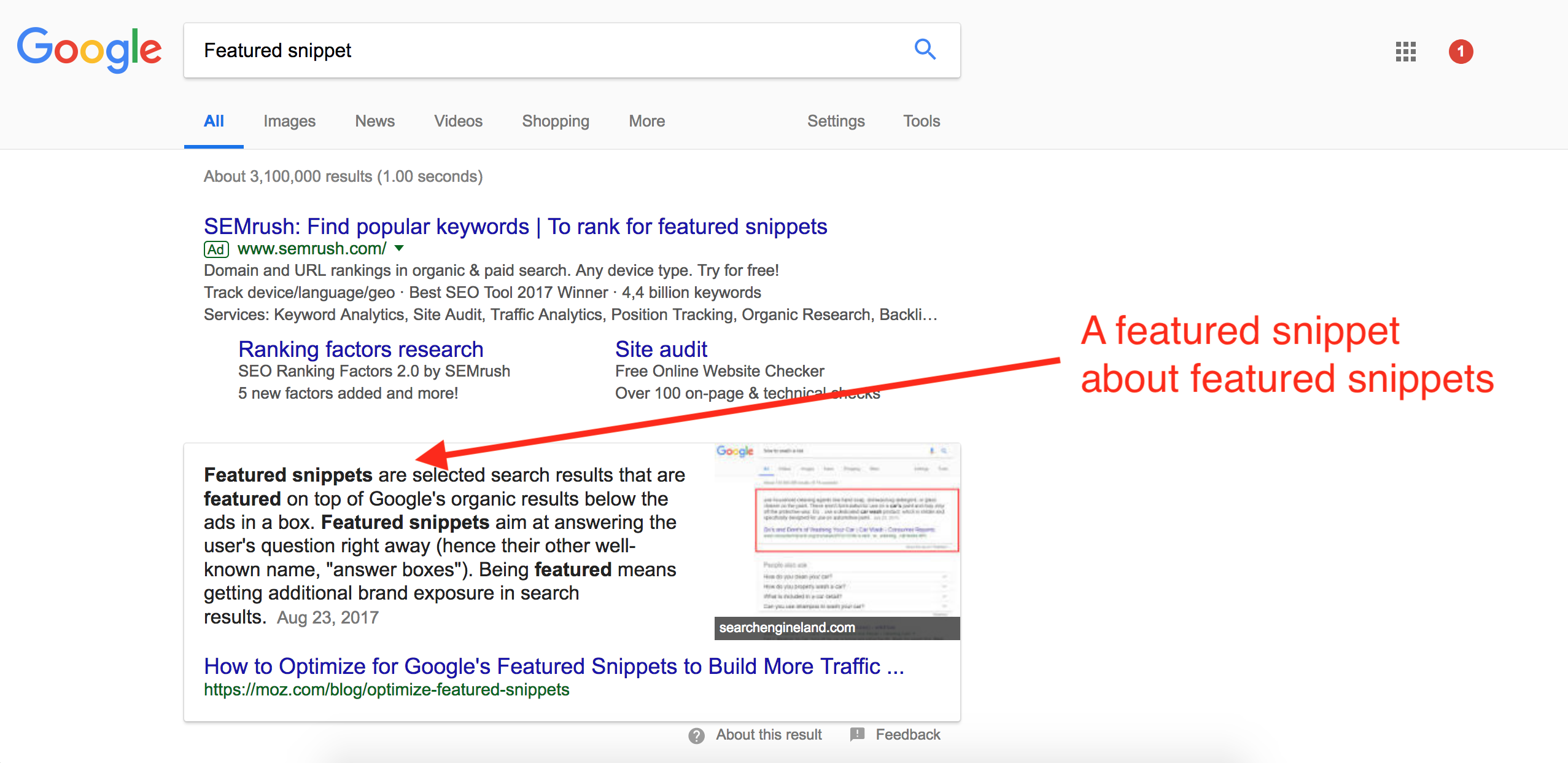
Featured snippets often become AI answer sources.
Content Formats That Win Snippets
- Paragraph definitions (40–60 words)
- Bullet lists
- Numbered steps
- Tables (when relevant)
Google AI frequently reuses snippet-ready content.
Step 10: Improve Internal Linking for AI Context
Internal links help Google AI understand:
- Topic relationships
- Content hierarchy
- Authority flow
Best Practice
- Link supporting blogs to your Answer Hub
- Use descriptive anchor text
- Avoid random linking
Your main AI page should receive the most internal links.
Step 11: Optimize Technical Foundations (Support Role)
Technical SEO does not replace content clarity—but it supports AI understanding.
Must-Have Technical Elements
- Fast loading speed
- Mobile responsiveness
- Clean HTML structure
- Proper heading hierarchy
- Crawlable content (no hidden text)
AI cannot extract content it cannot access.
Step 12: Use Schema as a Supporting Signal
Schema helps Google understand content type but does not guarantee AI visibility.
Recommended Schema Types
- Article
- FAQ Page
- Web Page
- Speakable (for voice search)
Schema enhances clarity—it does not replace quality.
Common Mistakes That Prevent Google AI Visibility
- Writing content before answering the question
- Overusing keywords
- Publishing AI-generated content without expertise
- Splitting one topic into many thin pages
- Ignoring trust signals
- Using clickbait headings
Google AI filters aggressively.
How Google AI Optimization Benefits Your Entire Website
When done correctly:
- One page becomes the AI citation source
- Overall topical authority increases
- Other pages rank faster
- Brand visibility improves inside AI tools
- Organic traffic becomes more qualified
AI optimization compounds over time.
FAQs
What is Google AI Search?
Google AI Search uses artificial intelligence to generate direct answers, summaries, and conversational results instead of only ranking links.
How is AI search different from traditional SEO?
AI search prioritizes answer quality, structure, and trust, while traditional SEO focuses more on rankings and keywords.
Can small websites rank in Google AI results?
Yes. Authority and clarity matter more than brand size.
Does schema guarantee AI visibility?
No. Schema supports understanding but content quality decides selection.
How long does AI optimization take to work?
Initial results may appear in weeks, while strong authority builds over 2–3 months.