
From Product Choices to Better Leads: Deviser Smart Product Configurator for WordPress
- Why Custom Product Websites Lose Valuable Enquiry Information
- What Is Deviser Smart Product Configurator?
- How Deviser Smart Product Configurator Improves the Customer Experience
- Key Features of Deviser Smart Product Configurator
- How Product Configurators Can Support Better Lead Generation
- Traditional Enquiry Forms vs Product Configurators
- Which Businesses Should Consider This Plugin?
- Practical Example: Turning a Custom Desk Enquiry Into a More Useful Sales Request
- How to Install Deviser Smart Product Configurator on WordPress
- How to Combine a Product Configurator With SEO
- Important Things to Know Before Installing
- Frequently Asked Questions
- Why Custom Product Websites Lose Valuable Enquiry Information
- What Is Deviser Smart Product Configurator?
- How Deviser Smart Product Configurator Improves the Customer Experience
- Key Features of Deviser Smart Product Configurator
- How Product Configurators Can Support Better Lead Generation
- Traditional Enquiry Forms vs Product Configurators
- Which Businesses Should Consider This Plugin?
- Practical Example: Turning a Custom Desk Enquiry Into a More Useful Sales Request
- How to Install Deviser Smart Product Configurator on WordPress
- How to Combine a Product Configurator With SEO
- Important Things to Know Before Installing
- Frequently Asked Questions
Your website may attract the right visitors, but are you collecting enough information to turn their interest into genuine sales opportunities? A WordPress product configurator plugin can help bridge this gap. Imagine a customer visiting your furniture manufacturing website to customize an office desk with specific dimensions, wooden finishes, additional storage and cable management. Instead of selecting these options directly, they must submit a basic contact form, leaving your sales team to ask multiple questions before preparing a quotation.
Why Custom Product Websites Lose Valuable Enquiry Information
A standard product page works well when customers need to review a description, view photographs and make a straightforward decision.
However, businesses selling products with multiple customization options face different challenges.
Customers may need to choose dimensions, materials, colors, components and optional accessories before the business can understand their requirements.
When these choices aren’t presented clearly, visitors may abandon the process or submit incomplete enquiries.
Too Many Product Choices Can Create Confusion
Consider a business selling customized kitchen cabinets.
Customers may need to select cabinet dimensions, door styles, finishes, hardware and additional features.
If the website presents all these options in one long paragraph, visitors must interpret the information themselves.
A more structured experience allows customers to understand which options belong together.
For example, the website could present cabinet type first, followed by dimensions, materials and finishing options.
This can reduce unnecessary complexity during product exploration.
Pricing Often Depends on Multiple Decisions
Unlike a standard retail product, customized products may not have one fixed price.
A premium material might increase the cost. An additional component may introduce another adjustment.
Without a clear pricing structure, customers may struggle to understand the financial implications of their choices.
A product configurator can calculate a displayed total based on the base product price and the option adjustments configured by the administrator.
Basic Forms Don’t Capture Product Requirements
A standard contact form may request a name, email address and message.
That information is useful for contacting the customer but may be insufficient for preparing a quotation.
A furniture manufacturer may need product dimensions and material selections. An equipment supplier may need model and accessory details.
A structured product enquiry helps bring those requirements together before the customer submits the form.
Why This Matters for Lead Generation
Businesses often invest in search engine optimization to attract qualified visitors.
However, attracting visitors is only the first part of the process.
The website must also help them understand the offering and communicate their requirements.
An effective WordPress SEO strategy can support relevant organic visibility, while a practical product configuration experience can help turn visitor interest into more informative enquiries.
The objective is not simply to collect more submissions.
It is to make each enquiry useful for the next stage of the sales process.
What Is Deviser Smart Product Configurator?
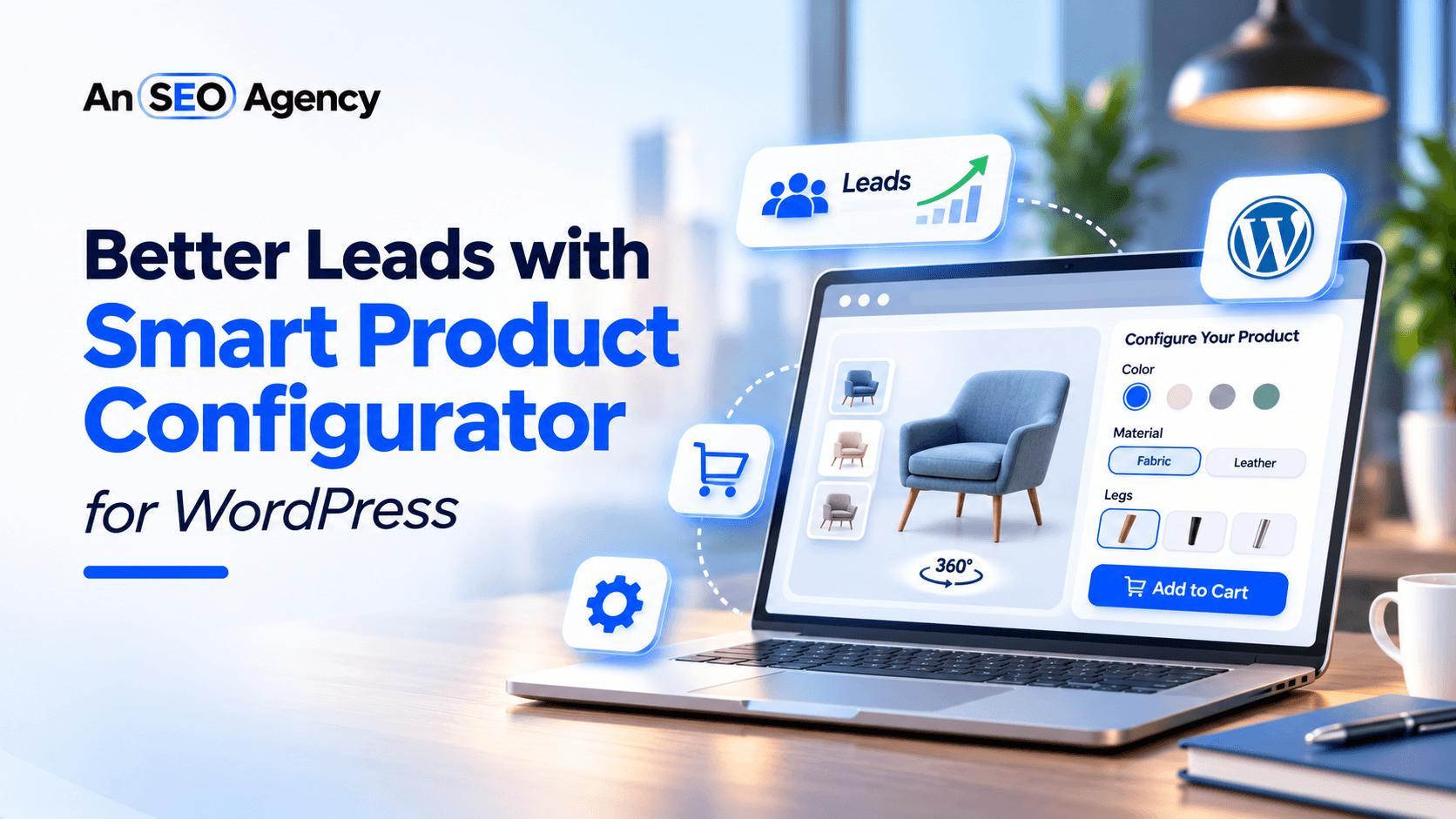
Deviser Smart Product Configurator, developed by Techno Deviser, is a WordPress plugin that helps businesses create interactive and customizable product experiences. It allows website administrators to organize products into categories, parent groups, subgroups and selectable options, making complex customization easier to manage.
Customers can explore available product choices, view corresponding images where configured, see applicable price adjustments and submit enquiries with their selected configurations. This helps businesses collect more structured customer requirements and simplify the initial enquiry process.
The plugin is available in the official WordPress Plugin Directory, where businesses can review its features, screenshots and installation instructions.
What Makes This Plugin Different From a Basic Contact Form?
A basic form collects information entered directly by the visitor.
Deviser Smart Product Configurator adds a product selection experience before the enquiry is submitted.
For example, a customer might configure a desk by selecting its size, finish and accessories.
The plugin can then include those selections and the calculated pricing information in the enquiry workflow.
This provides a more structured starting point for communication between the customer and business.
Who Is the Plugin Designed For?
The plugin is particularly relevant for businesses that:
- Sell made-to-order or customizable products.
- Offer several product variations or optional components.
- Need customers to select features before requesting a quotation.
- Want to display price adjustments for available options.
- Require a structured product enquiry rather than immediate checkout.
It is not intended to replace every aspect of a complete ecommerce platform.
Its documented functionality focuses on product configuration, visual presentation, pricing calculations and enquiry collection.
How Deviser Smart Product Configurator Improves the Customer Experience
A product configurator can make complicated choices easier to understand.
Instead of asking customers to describe every requirement manually, businesses can guide them through the available options.
Consider the following journey.
Step 1: Choose the Product Category
A visitor begins by selecting the type of product they want to configure.
For example, an office furniture supplier may organize products into desks, chairs and storage systems.
Step 2: Explore Available Choices
Next, the customer chooses their preferred product features, such as size, material, finish and accessories. The available choices depend on the options configured by the website administrator.
Step 3: Review Visual Changes
Once the selections are made, customers can view the corresponding product preview, provided matching product images have been configured. This helps them better understand how their selected options affect the product’s overall appearance.
Step 4: Understand Pricing Adjustments
As the customer changes applicable options, the displayed total can reflect the configured price adjustments.
This gives visitors more pricing context while making their selections.
Step 5: Review the Configuration
Before submitting an enquiry, the customer can review the selected product, options and calculated pricing information.
Step 6: Submit the Enquiry
Furthermore, the built-in form collects the customer’s contact information along with their selected configuration details. As a result, businesses receive more structured enquiries with a clear understanding of customer requirements.
This way, the plugin connects product customization directly with the enquiry process, helping businesses turn customer interest into more meaningful sales opportunities
Key Features of Deviser Smart Product Configurator
The plugin brings several useful capabilities together within WordPress.
Each feature addresses a different aspect of customizable product presentation.
1. Organize Products With Categories, Groups and Subgroups
One of the plugin’s main capabilities is its hierarchical product structure.
Website administrators can create Product Types and Product Categories, then organize selectable features into Configurator Groups.
For example, a business selling modular office furniture could create groups for dimensions, materials and additional components.
Each group can contain the relevant product options.
Administrators can also arrange selected groups and reorder options.
This helps keep the interface organized, especially when products have several different configuration requirements.
2. Present Choices Using Five Selection Styles
Different product attributes benefit from different presentation methods.
Deviser Smart Product Configurator supports five styles:
- Buttons
- Radio-style options
- Color swatches
- Image options
- Dropdown selectors
For example, a furniture business could display material finishes as image options and available colors as swatches.
Product sizes could appear as buttons or dropdown selections.
This flexibility allows administrators to choose an interface that suits the information being presented.
The aim is to simplify product selection rather than introduce unnecessary complexity.
3. Display Prices That Respond to Selected Options
The plugin supports a base product price and individual option price adjustments.
Consider an illustrative office desk configuration.
| Product Selection | Price |
| Standard Office Desk | $300 |
| Premium Wooden Finish | +$50 |
| Storage Drawer | +$40 |
| Cable Management | +$20 |
| Displayed Configuration Total | $410 |
These prices are hypothetical.
The plugin calculates the displayed total according to the pricing values assigned by the administrator.
For businesses offering different materials and accessories, this helps communicate how selections affect the configured price.
However, the displayed amount should not be mistaken for a complete checkout total that automatically includes taxes, shipping and payment processing.
Those are not documented as integrated checkout capabilities.
4. Show Matching Product Image Previews
Product customization is easier to understand when customers can see relevant visuals.
Deviser Smart Product Configurator supports mapped image combinations.
Administrators can associate images with particular product categories and option selections.
When a matching image is available, the frontend can display the corresponding preview.
For example, a furniture business could prepare photographs for different desk finishes and accessory combinations.
The plugin also supports progressive image thumbnails when applicable mappings are available.
The documented version allows up to 20 image mappings per product.
Businesses should plan their image requirements carefully and test the expected preview behavior before publishing.
5. Choose From Four Frontend Layouts
Different website designs require different ways of presenting products.
The plugin offers four per-product layouts.
| Layout | Display Arrangement |
| Default | Product image on the left and options on the right |
| Reverse | Options on the left and product image on the right |
| Equal Split | Balanced space for product preview and options |
| Popup / Slide | Configuration options within a slide-in panel |
The layouts are designed for responsive frontend use.
However, administrators should check the actual appearance and functionality on mobile, tablet and desktop devices.
6. Collect Detailed Enquiries With Built-In Forms
The Custom Forms builder is one of the plugin’s most relevant capabilities for lead generation.
Administrators can create forms using text, email, phone and message fields.
Required-field settings are also available.
A form can be selected globally or assigned to an individual product.
The plugin supports passing configuration details into the enquiry workflow.
For example, a customer submitting a request for a customized cabinet can include the selected category, materials, accessories and displayed pricing information.
This helps the business understand the initial request without relying entirely on a free-text message.
The plugin uses WordPress’s wp_mail() functionality to send enquiries. As explained in the WordPress developer documentation, processing an email request does not automatically guarantee successful delivery.
Businesses should test enquiry notifications and their website’s email configuration before relying on the form for customer communication.
7. Let Customers Review Their Configuration
Before submitting an enquiry, visitors can review their chosen options.
The configuration summary helps them confirm the product and pricing information.
For businesses offering several customization choices, this provides a useful checkpoint before the request is sent.
It also helps organize the information that the business receives.
8. Display the Configurator With a WordPress Shortcode
After creating and publishing a product, administrators can place it on a WordPress page using a product-specific shortcode.
For example:
[dpcon_product id=”123″]Replace 123 with the actual published product ID.
The plugin also supports optional attributes controlling the visibility of the product title, price and description.
For example:
[dpcon_product id=”123″ title=”yes” price=”yes” description=”no”]This approach follows WordPress’s existing shortcode functionality.
The official WordPress Shortcode API documentation explains how plugins can add dynamic functionality within pages and posts.
For businesses, shortcode support provides flexibility when placing configurators within their existing website structure.
How Product Configurators Can Support Better Lead Generation
A product configurator should not be evaluated only by how interactive it looks.
Its practical value comes from how effectively it helps customers communicate their needs.
More Information Before the First Sales Conversation
A generic enquiry often requires additional clarification.
A structured configuration can include product selections from the beginning.
For example, a sales representative responding to a request for industrial equipment may benefit from knowing the selected model and optional components.
This can make the first conversation more focused.
Clearer Expectations About Product Options
Customers may arrive at a website with a general idea of what they want.
Organized product groups help explain which options are available.
This may reduce uncertainty before an enquiry is submitted.
However, the business still needs to confirm product suitability and technical requirements.
Better Visibility Into Customer Preferences
Submitted configurations can help businesses understand which options individual customers are requesting.
Over time, a company may review its enquiry records to identify recurring customer interests.
However, the plugin should not be presented as a dedicated analytics or CRM platform.
Any broader reporting or integration requirements should be evaluated separately.
A More Practical Next Step for Interested Visitors
Some customers are not ready to purchase a custom product immediately.
They may need to confirm specifications, availability or final pricing.
For these businesses, requesting a quotation is a natural next step.
A structured configurator can support this workflow without forcing the customer into a checkout process that does not match how the business operates.
For website owners, this is an important part of web development for business growth: creating functionality that supports the actual customer journey rather than adding features simply because they are available.
Traditional Enquiry Forms vs Product Configurators
Both standard contact forms and product configurators can collect customer interest.
However, they serve different purposes.
| Feature | Basic Contact Form | Deviser Smart Product Configurator |
| Customer contact details | Yes | Yes, through built-in forms |
| Structured product selection | Usually requires additional implementation | Categories, groups and selectable options |
| Option-based price calculations | Not normally included | Base price and option adjustments |
| Product image combinations | Not normally included | Mapped image previews |
| Configuration summary | Requires custom functionality | Built-in summary |
| Product-specific enquiry context | Depends on implementation | Supported configuration details |
| Frontend customization | Depends on the form tool | Four configurable layouts |
| Complete ecommerce checkout | Not inherently included | Not documented as included |
A basic form may be sufficient for simple service enquiries.
However, when customers must choose several product attributes, a configurator can provide a more structured experience.
The appropriate choice depends on the actual information a business needs before responding.
Which Businesses Should Consider This Plugin?
Deviser Smart Product Configurator is particularly relevant to businesses where customers need to make multiple product selections before requesting a quotation.
Furniture and Interior Product Manufacturers
A furniture supplier may offer different desk sizes, cabinet finishes, materials and accessories.
The configurator can present these choices in a structured interface.
Customers can review their configuration before submitting an enquiry.
Home Improvement Product Businesses
Companies offering customizable doors, panels, cabinets and related products may need to collect dimensions, finishes and component preferences.
A configurator can help organize the initial selection process.
Final measurements and installation requirements may still require professional confirmation.
Industrial Equipment Suppliers
Industrial products often have multiple available models and accessories.
A product configurator can provide an organized way to communicate supported choices.
However, complex engineering calculations and automatic compatibility validation should not be assumed to be included.
Promotional and Personalized Product Sellers
Businesses selling branded merchandise or customized gifts may use the plugin to present available colors, styles and product options.
If a product requires advanced design editing, personalized artwork rendering or other specialized functions, additional software may be needed.
Made-to-Order Businesses
Businesses that manufacture products after receiving specifications can use configuration-based enquiries to understand initial customer requirements.
This may be useful when production begins only after the company prepares and approves a quotation.
Practical Example: Turning a Custom Desk Enquiry Into a More Useful Sales Request
Consider a hypothetical furniture manufacturer called Workspace Furniture.
The company sells customized office desks.
Customers can choose different sizes, surface finishes and accessories.
Before Using a Configurator
Imagine a furniture business selling customized office desks through its website. A visitor interested in a large desk submits a basic enquiry asking for pricing. However, the sales team still needs to contact the customer to understand their preferred materials, finishes and additional features before preparing a quotation.
Using Deviser Smart Product Configurator
The business creates a configurable office desk and adds options for desk size, surface finish and accessories. Customers can select their preferences, such as:
-
Large Desk
-
Natural Wood Finish
-
Storage Drawer
-
Cable Management Accessory
As customers make their selections, the displayed price updates according to the applicable adjustments. Where matching images have been configured, they can also view a corresponding product preview.
Before submitting the enquiry, customers can review their selected options and configuration summary. Consequently, the business receives a more detailed enquiry, helping its sales team understand customer requirements and prepare a more relevant quotation.
As a result, the sales team receives more detailed initial requirements, making it easier to discuss product availability, confirm specifications and prepare relevant quotations. While this does not guarantee higher sales or faster conversions, it helps create more productive initial sales conversations through structured product information. This example is illustrative and does not represent measured client results.
How to Install Deviser Smart Product Configurator on WordPress
Getting started follows a familiar WordPress installation process.
Step 1: Install the Plugin
Open your WordPress dashboard.
Navigate to Plugins > Add New Plugin.
Search for Deviser Smart Product Configurator.
Install and activate the plugin.
Alternatively, download it from the official WordPress.org plugin page and upload the ZIP file through WordPress.
Step 2: Create Product Categories and Types
Open the Product Configurator administration area.
Create the categories and product types your business requires.
For example, a furniture company might organize desks, chairs and cabinets.
Step 3: Add Configuration Groups and Options
Create the groups customers will use when selecting product features.
Add the relevant options, labels and price adjustments.
Arrange the groups in a logical order.
Step 4: Configure Product Images
If your product requires visual previews, upload the appropriate images and create the corresponding mappings.
Test which images appear for supported selections.
Step 5: Create an Enquiry Form
Use the built-in Custom Forms builder to add relevant customer contact fields and set the required fields. You can assign the form globally or to specific products based on your enquiry requirements.
Step 6: Create and Publish Your Product
Create your product configurator and assign the relevant categories, groups, selectable options and pricing adjustments. Choose your preferred layout, review the configuration settings and publish the product.
Step 7: Add the Shortcode to Your Page
Copy the product-specific shortcode from the WordPress administration area and paste it into your desired page using a supported shortcode-rendering area. Once published, visitors can access the configurator directly from your website.
Step 8: Test the Customer Journey
Before making the configurator available to customers, verify option selections, calculated prices, image previews, mobile layouts, reset functionality and enquiry submission.
Also confirm that the submitted configuration reaches the appropriate administrator email address.
These checks help prevent avoidable problems during the customer enquiry process.
How to Combine a Product Configurator With SEO
A product configurator can improve the functionality of a WordPress product page, but installing the plugin does not automatically improve search rankings.
Businesses still need an effective SEO strategy.
Optimize the Product Page for Relevant Search Intent
Use clear page titles that describe the product being offered.
For example, a manufacturer could create a page titled “Custom Office Desks With Size and Finish Options.”
The page should explain the product’s features, intended uses and available customization choices.
Include Helpful Content Outside the Interactive Interface
Do not rely entirely on the configurator to explain essential product information.
Include readable descriptions, important specifications and relevant product guidance on the page.
This helps visitors understand the offering before interacting with the configurator.
Improve Mobile Usability
Review how the product interface behaves on smaller screens.
Customers should be able to select options, review pricing and complete the enquiry form without unnecessary difficulty.
Use Appropriate Product Structured Data
Product structured data can help supported search engines understand information about products.
However, it must accurately reflect the page.
Google’s product structured data guidance distinguishes between product snippets and merchant listings.
Businesses using quotation-based pages should carefully evaluate which markup is appropriate rather than treating the configurator as a complete ecommerce checkout.
AN SEO AGENCY’s structured data optimisation services can support businesses reviewing how their website content is represented to search engines.
Connect Informational Content With Product Pages
Businesses can create useful content explaining product features, selection considerations and common customer questions.
For example, a furniture manufacturer might publish a guide to choosing an office desk for a small workspace.
That article can link naturally to an appropriate configurable product page.
This connects the research stage with a practical next step.
A well-planned content marketing strategy can support this approach by aligning educational resources with customer needs.
Important Things to Know Before Installing
Deviser Smart Product Configurator offers useful functionality, but businesses should understand its documented limits.
It Is Not a Complete Ecommerce Checkout
The plugin provides configurable options, calculated prices, summaries and enquiry forms.
Its current documentation does not advertise integrated cart, payment gateway or WooCommerce checkout functionality.
Businesses needing immediate online purchases should evaluate their wider ecommerce requirements.
Image Mappings Are Limited to 20 Per Product
Businesses with numerous visual combinations should consider this limit when planning product images.
External Form Plugins Are Not Supported
The documented enquiry workflow uses the plugin’s built-in Custom Forms builder.
It should not be presented as a native integration with Contact Form 7, WPForms or other third-party forms.
Email Delivery Requires Testing
The plugin relies on the website’s WordPress mail functionality.
Businesses should confirm that enquiry emails are delivered correctly before launching.
Complex Technical Validation Is Not Included by Default
However, businesses should keep in mind that the plugin does not automatically validate engineering compatibility, product dependencies or manufacturing feasibility. Such requirements may require additional customization or functionality. Therefore, understanding these limitations is essential to ensure the solution aligns with the business’s actual workflow.
How to Measure Product Configurator Performance
A product configurator should be evaluated according to the quality of the customer experience and its contribution to business objectives.
Useful measurements include:
Enquiry Completion Rate
Track the proportion of visitors who complete a configuration enquiry.
This can help identify whether the form or selection process introduces unnecessary friction.
Enquiry Information Quality
Review whether submitted configurations contain the details your sales team requires.
A complete enquiry may be more useful than a short generic message.
Qualified Lead Rate
Determine how many enquiries match the company’s target customer criteria.
This requires a consistent qualification process.
Sales Follow-Up Requirements
Evaluate whether sales staff need to request additional basic information after receiving enquiries.
If customers consistently omit important details, review the configuration structure.
Confirmed Sales Outcomes
WordPress’s official developer documentation describes the Shortcode API as a simple way to add functionality to posts and pages. This makes shortcodes particularly useful for embedding and managing product configurators.
Deviser Smart Product Configurator provides a dedicated shortcode for each product, making it easier for administrators to embed published configurators into supported WordPress pages. This eliminates the need to manually recreate product interfaces across multiple pages. However, testing compatibility with the active WordPress theme and page builder is recommended to ensure proper functionality.
Easily Embed Configurators Using WordPress Shortcodes
WordPress’s Shortcode API allows website administrators to add specific functionality to posts and pages without manually building each element. This makes it a practical way to integrate product configurators into a website.
Deviser Smart Product Configurator provides a product-specific shortcode that allows administrators to display published configurators within supported WordPress content areas. As a result, businesses can easily add configurators to relevant product pages without recreating the interface each time. However, testing compatibility with the active theme and page builder is recommended to ensure smooth functionality.
Frequently Asked Questions
What Is Deviser Smart Product Configurator?
Deviser Smart Product Configurator is a WordPress plugin for creating products with selectable categories, groups, subgroups and options. It supports product image previews, option-based pricing, configuration summaries and built-in enquiry forms.
Is Deviser Smart Product Configurator Available on WordPress.org?
Yes. The plugin is listed in the official WordPress Plugin Directory, where website owners can review its features, screenshots and installation information.
Can the Plugin Help Businesses Generate Better Product Enquiries?
The plugin can help collect more structured product requirements by including selected options and pricing information in supported enquiry submissions. However, the actual effect on lead quality and sales depends on the business and its implementation.
Can Customers See Product Price Changes?
Yes. Administrators can configure a base product price and individual option price adjustments. The frontend calculates the displayed total according to the selected options.
Does the Plugin Display Different Product Images?
Yes. The plugin supports mapped product images for configured selections. The documented version allows up to 20 image mappings per product.
Does Deviser Smart Product Configurator Work With WooCommerce Checkout?
The current listing does not describe an integrated WooCommerce checkout or payment system. The plugin focuses on configurable product selections and enquiry collection.
Can I Customize the Product Configurator Layout?
Yes. The plugin includes Default, Reverse, Equal Split and Popup / Slide frontend layouts.
Does the Plugin Support External Contact Forms?
The documented version uses its own built-in Custom Forms builder. Native integrations with external form plugins are not supported.
Can I Add Multiple Configurable Products?
The plugin provides an administrative system for creating and managing configurator products. Each published product can be displayed using its product-specific shortcode.
Will Installing the Plugin Improve My SEO Rankings?
Installing the plugin does not guarantee higher search rankings. Businesses still need relevant content, appropriate technical SEO and a positive website experience.
Is the Plugin Suitable for Manufacturing Websites?
It can be suitable for manufacturers offering selectable product options and quotation-based enquiries. However, specialized technical calculations or compatibility rules should be evaluated separately.
Do I Need Coding Knowledge to Use the Plugin?
The plugin provides WordPress administration controls and shortcodes for its documented functionality. Basic setup can be performed through the WordPress interface, although specialized integrations or design adjustments may require technical assistance.
Ready to Offer Customizable Products on Your WordPress Website?
If your business sells products with multiple sizes, materials, colors or accessories, explore Deviser Smart Product Configurator on WordPress.org.
Review the official screenshots, examine the documented capabilities and determine whether the plugin matches your product enquiry workflow.
For businesses that also need to improve their website’s search visibility, product content and digital lead generation, AN SEO AGENCY offers SEO and website optimization services.
Contact AN SEO AGENCY to discuss your WordPress website’s visibility and customer acquisition goals.